USB-C vs USB-C PD: Charging Guide for Kraken Dive Lights
You’re on a dive trip. You forgot your Hydra charger at home. Or it died. Or you lost it.
Don’t panic.
USB-C is widely available, which can make sourcing a replacement easier. A matching connector is not enough: the adapter’s output profiles, cable and the charging circuit in your exact battery or light must all be compatible. Use supplied equipment or a verified replacement.
Many current Kraken products use USB-C charging. It can reduce travel bulk when compatible equipment is shared, but older generations and different charging protocols still need their specified equipment.
But here’s the catch: not all USB-C is the same. Some Kraken products need USB-C PD (Power Delivery). Some work with regular USB-C.
Here’s how to tell the difference.
The current catalog lists chargers and cables for several PD-equipped models. Check the exact model’s in-box list and supplied instructions; do not assume every USB-C product ships with the same adapter.
The 5-Second Version
- Identify the exact model and generation, including the battery label.
- Read whether its charging requirement is explicitly USB-C PD or simply USB-C.
- Use the supplied charger/cable first. For a replacement, match the documented output profiles and cable rating—not the battery’s shape.
Square, triangular and cylindrical shapes do not reliably identify voltage, cell wiring or PD requirements. A PD-capable adapter is not a guarantee that every port, cable or device combination will work.
Why the Difference?
USB-C names a connector; it does not itself establish the power protocol. USB-C Power Delivery (PD) allows compatible devices and sources to negotiate supported power profiles. A charger’s total wattage alone does not prove it supplies the voltage/current your charging circuit needs.
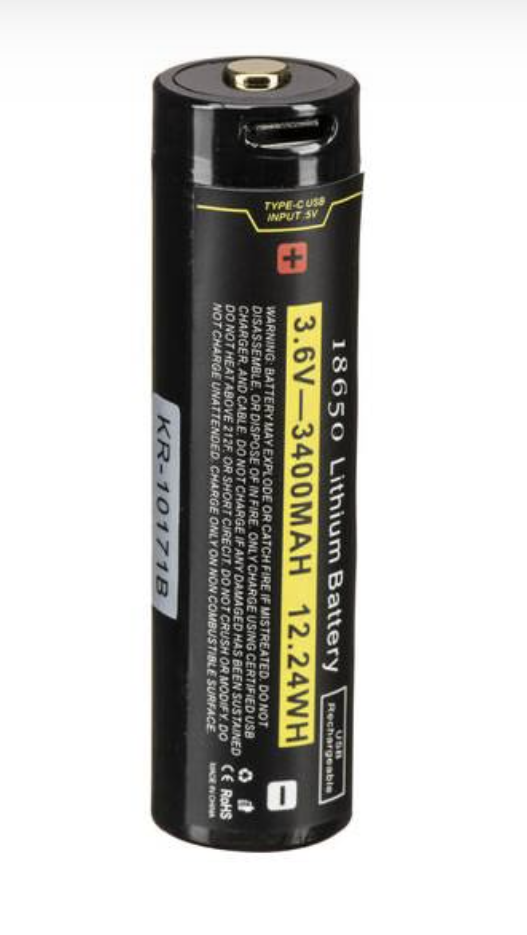
Cell count does not reveal series/parallel wiring or the input requirement of the pack’s charger. A single USB-C rechargeable cell and a multi-cell pack may use different circuits; follow the model’s instructions rather than assuming every single cell accepts every phone charger.
For USB-C PD equipment use the specified USB-C-to-USB-C cable and a source that supports the required profiles. The appropriate cable rating matters; data transfer capability is not itself a charging requirement.
Which Kraken Products Need What?
USB-C PD Explicitly Listed or PD Charger Supplied
| Exact model | Battery information | Catalog charging evidence |
|---|---|---|
| Hydra 10000 WRGBU | 3×21700 pack | USB-C PD; ~3 h |
| Kraken Hydra 18000 | 8×21700 pack | USB-C PD; runtime/size claims conflict in record |
| Hydra 20000 WRGBU | Pack voltage/capacity needs label verification | USB-C PD; ~5 h |
| Abyss 6000 | 3×18650 pack | USB-C PD charger supplied |
| Abyss 10000 | 3×21700 pack | USB-C PD |
| Abyss 20,000 | Shared high-output pack | USB-C PD |
| Spectrum 25,000 | 144 Wh, 8×21700 | USB-C PD; ~4.5 h |
| Spectrum 10,000 | 3×21700 pack | USB-C PD charger/cable listed |
| Kraken KR-S160 Flash | 7.2V 4000mAh pack | USB-C PD charger included |
Where PD is specified, use the supplied adapter/cable or a verified replacement. If charging fails or equipment becomes unusually hot, disconnect and inspect; do not continue with an unverified source.
USB-C Listed: Do Not Assume “Any Charger Works”
| Exact model | Battery information | What the snapshot establishes |
|---|---|---|
| Hydra 2200 WSR | 21700 | USB-C; ~4.5 h; do not infer universal cable support |
| NR-1200 Compact 1200-Lumen Dive Light | 18650 | USB-C cable included; current NR1200 generation |
| NR-LEP01 | 26650 | USB-C; not a 21700 light or “NR2500 LEP” |
| NR-1800 | 21700 | USB-C rechargeable battery |
| LTD 3000 | 26650 | USB-C; use supplied/verified equipment |
| KR-S40 | 1×21700, 4000mAh | USB-C rechargeable cell |
| KR-S80 Flash | 2×21700, 4000mAh each | USB-C; supplied PD charger is not proof PD is required |
| KR-S80+ Underwater Strobe | 2×21700, 4000mAh each | USB-C charging ports on the batteries |
| Spectrum 18000 Underwater Video Light | 97.92 Wh, 8×18650 | Charger/AC adapter and USB-C cable listed; PD profile not stated |
| Hydra 5000 | 3×18650 pack | USB-C and adapter listed; exact PD requirement not stated |
| Hydra 12,000 | 4×21700 pack | USB-C listed; exact PD requirement not stated |
| Hydra 3000 V2 WRGBU | Battery details not specified in current record | USB-C mentioned; confirm model-specific charging instructions |
| NR-2000 | Not specified in supplied current record | Charging cable included; battery/protocol need confirmation |
The new NR-2000 (product 11907) is distinct from the original NR-2000. Do not copy the legacy battery or charging assumptions to it. The current NR-1200 (product 98) uses an 18650; identify the new generation by the exact product record.
Why USB-C? (The Kraken Design Philosophy)
1. Availability. USB-C sources and cables are widely sold, making a verified replacement easier to find.
2. Less duplication. Compatible devices can share an adapter; test each combination before travel.
3. Standard connectors. USB-C reduces dependence on unusual connectors, but power profiles and older generations still matter.
4. Choice. A suitable third-party source may work when its documented output and cable match the model requirements. Brand names alone are not compatibility evidence.
How to Identify a PD Charger
- Look for “USB-C PD” / “Power Delivery”.
- Read the voltage/current output profiles on the adapter or its documentation.
- Check the output of the particular port you intend to use, including reduced power when other ports are occupied.
- Match the light/battery instructions and specified cable rating.
A “45W” or “65W” label alone is not proof. A laptop or phone charger may support PD, but confirm its profiles. Do not assume a USB-A-to-C cable provides the USB-C PD operation required by your pack.
What to Buy (Replacement Chargers)
For Models Explicitly Requiring USB-C PD
Choose a USB-C PD source with the documented profiles needed by the exact model and an appropriately rated USB-C-to-C cable. A universal 30W minimum or 45W recommendation is not established by the supplied catalog; neither a laptop charger nor a specific phone adapter is automatically compatible.
Kraken 90W GaN Dual USB-C PD Charger is listed for specific Hydra 4000/6000/8000 batteries. Check the exact-generation compatibility before using it as a replacement for a newer model. We do not quote stale third-party adapter prices or promise fit from wattage alone.
For Products Listed Simply as USB-C
Use the supplied equipment or confirm a replacement with Kraken. “USB-C rechargeable” does not establish that every USB-A cable, phone adapter or laptop port works, or whether PD is required. Send the model and battery-label details when asking for help.
Travel Packing Tips
- Pack the specified adapter and cable as the primary set.
- Bring a spare only after testing its profiles and cable with the exact model.
- Do not depend on unverified hotel, boat or aircraft USB ports or power banks.
- For multi-port sources, verify per-port output and power sharing with your intended devices connected.
- Keep ports dry before charging, and inspect batteries and O-rings before reassembly.
A shared adapter can reduce bulk when compatibility has been established; it is not a blanket one-charger-for-everything promise.
Air travel: Spectrum 18000 uses a 97.92 Wh pack, while Spectrum 25000 lists 144 Wh. Verify every operating airline’s current rules and obtain approval where required for the over-100 Wh category. Removed/spare lithium batteries belong in cabin baggage with terminals protected. The Hydra20000 catalog’s battery voltage/capacity and shared144Wh reference conflict: confirm its actual label rather than calling it transport-safe.
Troubleshooting: “My Light Still Won’t Charge”
- Check the model. Confirm generation, battery and whether instructions require PD; similar names may use different packs.
- Check the source. Compare voltage/current profiles for the specific port, not just total advertised wattage.
- Check the cable. Use the supplied cable or one confirmed for the required power rating. A data-transfer rating is not a substitute for a suitable charging cable.
- Disconnect other devices. Power-sharing can change what a multi-port charger supplies.
- Inspect safely. Disconnect if there is unusual heat, damage, swelling, moisture or leakage. Do not repeatedly attempt to revive a deeply discharged or damaged pack.
- Still not charging? Check the exact product instructions or contact Kraken with model, battery label and adapter output profiles. Do not open sealed battery packs or bypass protection.
The Bottom Line
Match the exact model’s charging specification, not the battery shape or a familiar brand. USB-C is the connector; PD is a power protocol. A replacement is suitable only when the source profiles and cable meet the charging circuit’s requirements.
Test your primary and backup equipment before the trip, and check airline rules for the actual battery label.
Still Have Questions?
Not sure which charger to buy? Need help troubleshooting?
Contact our team — we’ve walked hundreds of divers through this.
Last updated: September 2026
Frequently Asked Questions
Does USB-C automatically mean USB-C PD?
No. Use a model-specific statement or supplied instructions; do not infer PD from cell count or the connector.
Does KR-S80 use a single cell?
No. Original S80 and S80+ list two 21700 cells; KR-S40 lists one. Use the specified rechargeable cells and supplied charging equipment.
Can I use the old NR2000 battery in the new light?
Compatibility is not established by the shared name. New product11907 and legacy395 are separate generations; confirm the exact approved battery with Kraken.