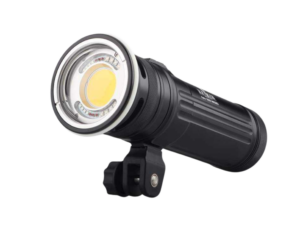
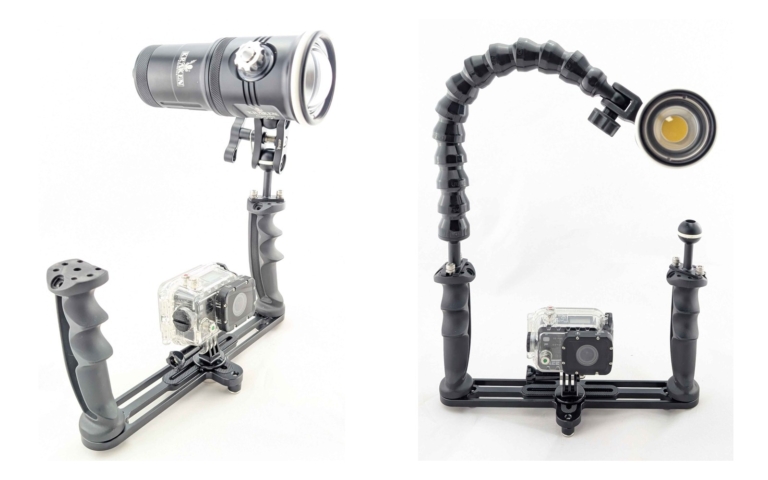
A GoPro underwater camera tray gives you a larger grip and mounting points for a lighting rig. Our TR09 action camera tray combines two pivoting pistol grips with an included GoPro-style mount. This guide helps you choose a tray, compare arm options and decide between one video light and two. Before ordering, check the mounting interface and clearance of your exact underwater housing.
Photo examples: The photos above show two single-light action-camera rig examples: a compact ball-to-YS arm and clamp on the left, and a flexible arm on the right. Camera and underwater housing are shown for illustration and are not included in the lighting kit.
What a tray adds to your underwater camera rig
- Handling: A larger grip can make framing and two-handed control easier. A tray does not eliminate camera movement or replace good buoyancy control.
- Light mounting: A matched tray-and-arm arrangement gives you a way to position video lights beside the camera. Check the interfaces of the tray, arms and lights before combining parts.
- Rig balance: Housing, lights, arms and floats all affect underwater trim. Test the assembled rig in controlled water rather than assuming an aluminum tray makes every setup slightly negative.
- Control access: Check handle spacing and camera controls while wearing your usual dive gloves. Choose the arrangement that suits your housing and handling needs.
Tray Handle Styles: Pistol Grip vs. Straight Handle
Choose the handle shape that gives you a secure grip and easy access to the camera controls.
Pistol Grip Handles
Pistol grips give you an angled hand position. On the TR09, the handles also pivot inward or outward so you can adjust the grip angle.
- Pros: A shaped grip for two-handed control; TR09 handles pivot to suit your hand position.
- Fit check: Check the grip angle and overall height against your housing and the space in your dive bag.
Straight / Foam-Grip Handles
These are cylindrical handles that extend straight up from the tray, typically with foam or rubber grips.
- Pros: Straight handle profile with a familiar vertical grip.
- Fit check: Try the handle diameter and grip material with your usual gloves, and check access to camera controls.
Our take: Try the grip angle and camera controls with your usual gloves. Our TR09 handles pivot inward or outward so you can adjust their angle; comfort depends on your hands, housing and complete rig.
Key Features to Look For
1. Tray width — match it to your housing
Our TR09 is designed for compact action-camera rigs. It measures 8.25 inches inside the handles and 10.75 inches across the outside, with pivoting pistol grips and a GoPro-style mount included. Confirm that your housing connects to the mount and clears the tray and handles.
The TR08 provides adjustable extensions from 8 to 11.25 inches for larger housing setups, with two ball mounts included. An action-camera housing may need a suitable adapter; check its attachment and clearance before choosing a larger tray.
Prefer a smaller, single-handle arrangement? The TR07 is an option for compact and action cameras. Its pictured flex arm and light are sold separately. Check your housing connection and control access rather than choosing by camera brand alone.
2. Adjustable Handle Position
Pivoting handles let you change the grip angle; sliding handles, where fitted, adjust spacing. Try the adjustment with your usual gloves and housing.
3. Ball Mounts for Lights
For a ball-arm system, match the tray-side ball, clamps and light mount. The Kraken KR-FLEX01 flex arm connects at the top of a compatible Kraken tray handle without a separate tray-side ball clamp. Choose your arm system, then match the tray connection.
4. GoPro Mount vs. 1/4-20 Screw
The TR09 includes a GoPro-style camera mount. For a tray with a 1/4-20 camera screw, use the correct adapter for your housing. Check the mounting interface, clearance and access to the camera controls before combining parts.
5. Material: Anodized Aluminum
Choose a tray designed for underwater use, with a mounting arrangement that supports your housing and lights. Compare the actual dimensions, material and care requirements rather than assuming that every tray has the same weight or underwater balance. Rinse your rig after diving and follow its care instructions.
6. Base Mounting Threads
Our TR09 includes three 1/4-20 threads on the underside. Before attaching accessories or a topside tripod, check the connection, clearance and support for the weight of the complete rig. Other trays may use a different arrangement.
Lighting Integration: The Real Reason Trays Matter
White video lights add illumination to nearby subjects and can reveal colours that fade as light travels through water. For action-camera video, use continuous video lights rather than assuming the camera can trigger a strobe. Lighting results depend on distance, clarity, exposure and positioning; a tray also improves handling when you choose to shoot with ambient light.
Flex Arms vs. Ball-and-Clamp Arms
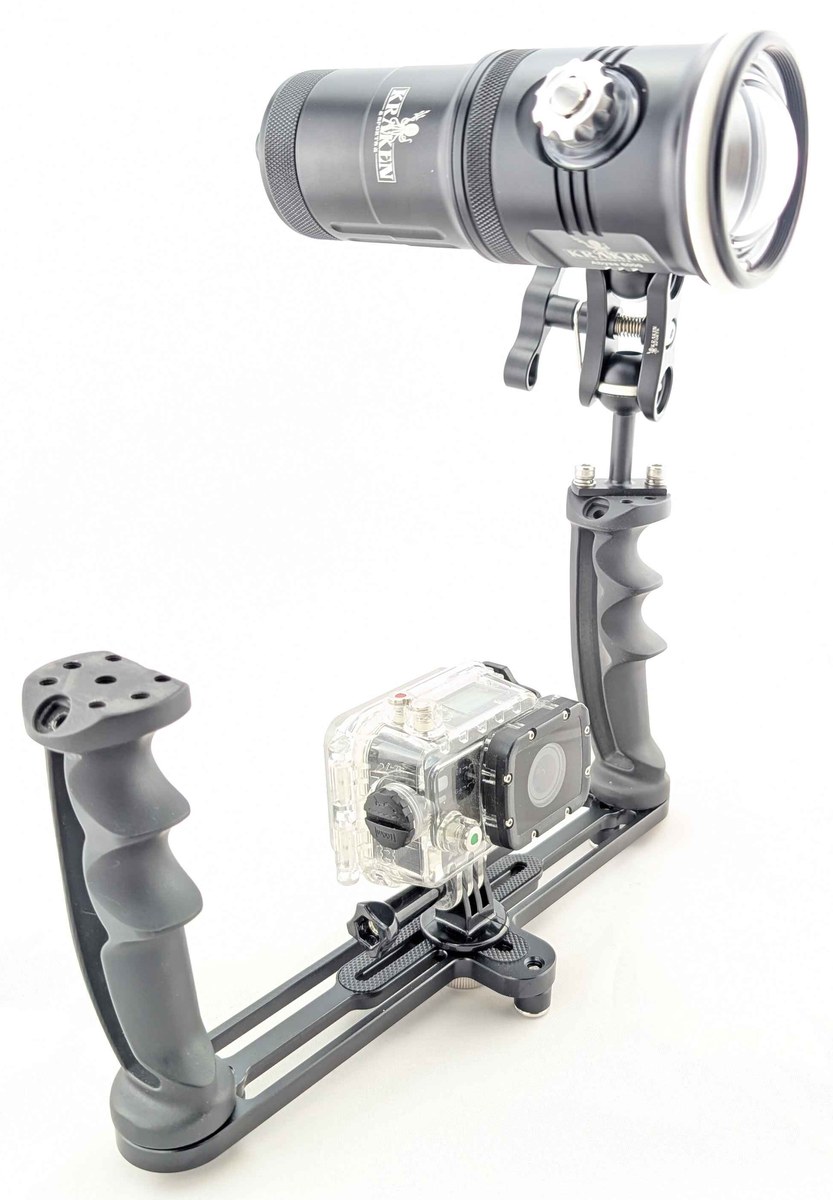
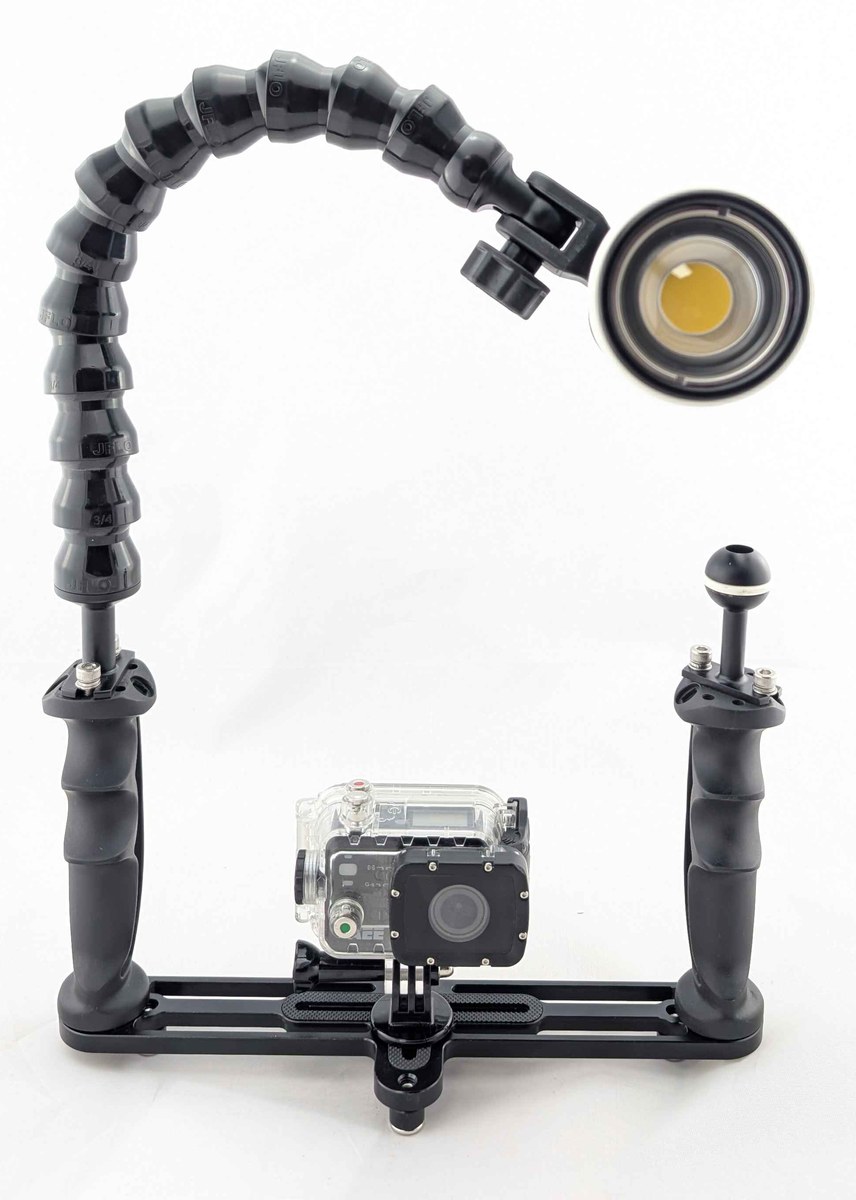
Flex arms (like Loc-Line style) bend and hold their position — no knobs to tighten. They’re affordable, simple, and popular with GoPro shooters who want to add a video light without complexity. The arm stays roughly where you put it, which works well for straightforward lighting angles.
Ball-and-clamp arms use 1-inch ball joints and clamps. Properly tightened clamps offer firmer positioning than flexible arms, but holding power depends on the light load, clamp condition and current. Choose an arm system that supports your lights and test it before diving.
Which to choose? Choose flex arms for quick bend-to-position adjustment, or ball arms when you prefer clamped joints. Match either system to your lights and check its holding power with the assembled rig.
How Many Lights Do You Need?
- One video light: A compact starting point for nearby subjects. Reposition the light to choose where highlights and shadows fall.
- Two video lights: Wider coverage and independent aiming from each side. A dual-handle tray is a convenient way to support this, but the requirement is suitable mounting points and an arm system that supports both lights.
- Strobes (for compatible still cameras): Flash can freeze motion, but it requires a camera and housing with a supported trigger. Do not assume a GoPro can trigger an underwater strobe; use continuous video lights for the action-camera rig described here.
Buoyancy: Getting Your Rig Right
A heavy rig can tire your arms; an overly buoyant rig can be awkward to hold down. Aim for a balance you can comfortably control, and test the complete housing, lights, arms and floats in controlled water before diving. Secure the rig appropriately rather than releasing it to test its balance over a reef.
The buoyancy of a complete rig depends on its housing, tray, arms and lights. For Abyss 6000 and Hydra 5000, use the dedicated KR-FB09 float (250g of buoyancy). KR-FB04 fits Hydra 10000 and Spectrum 10000. Do not assume a collar fits every larger light. Match the float to the exact model and test the full rig in water.
GoPro-Specific Considerations
Housing Choices
Use a dive housing matched to your exact camera model and planned depth. Check the manufacturer’s depth rating, mounting interface and accessory compatibility rather than assuming all GoPros or third-party housings are the same. Housing is not included in the Kraken lighting kit.
Filters
Water absorbs colours differently as light travels through it; the effect depends on depth, visibility and distance. A housing-compatible red or magenta filter can change colour balance in suitable ambient-light conditions, but it also removes light. Usually remove a colour-correction filter when using white video lights on nearby subjects. Check filter clearance with your exact housing and tray.
Wide-Angle Lenses
If you want to add a wet lens, choose one specifically compatible with your camera, housing and mount. Check the lens maker’s supported field of view and camera settings; not every lens improves every GoPro setup. Also check clearance with the tray and handles. Working closer to a subject reduces the amount of water between it and the camera.
Choose your GoPro tray and lighting setup
Start with the tray
The TR09 gives compact action-camera rigs two pivoting pistol grips and an included GoPro-style mount. If you already own lights, check their mounts and your arm system before adding parts. Camera and housing fit depends on the exact mounting interface and clearance.
Choose a matched Abyss 6000 lighting kit
Our Abyss 6000 Action Camera Lighting Kit pairs a TR09 tray with one or two Abyss 6000 video lights. Choose BM3 arms with clamps or FLEX01 flexible arms. Each light provides up to 6,000 lumens of white flood output; useful coverage depends on your subject distance, water clarity and camera settings.
| Configuration | Tray and lights | Arm hardware |
|---|---|---|
| BM3 / Single light | 1 TR09 and 1 Abyss 6000 | 1 KR-BM3 3-inch ball-to-YS arm and 1 KR-CL clamp |
| BM3 / Dual light | 1 TR09 and 2 Abyss 6000 lights | 2 KR-BM3 3-inch ball-to-YS arms and 2 KR-CL clamps |
| FLEX01 / Single light | 1 TR09 and 1 Abyss 6000 | 1 KR-FLEX01 flexible arm |
| FLEX01 / Dual light | 1 TR09 and 2 Abyss 6000 lights | 2 KR-FLEX01 flexible arms |
Each kit includes one tray. The TR09 includes two handles, two ball mounts and the GoPro-style camera mount. Each Abyss 6000 includes its standard battery, USB-C PD charger, YS mount, ball mount and spare O-rings. FLEX01 configurations use flexible arms instead of the tray-side ball-and-clamp arrangement; the supplied tray ball mounts are still included.
Camera and underwater housing are not included. Confirm your housing’s mounting connection and clearance; a model-specific adapter may be needed. Follow the housing’s depth limit as well as the light’s. Setup photos show illustrative single-light arrangements, not every configuration.
One light or two?
One light keeps the rig more compact and can suit nearby subjects. Two independently aimed lights give you coverage from both sides. A second light does not automatically remove shadows or backscatter: adjust position and brightness for the scene.
Balance the complete rig
The KR-FB09 float fits Abyss 6000 and Hydra 5000 and provides 250g of buoyancy. It is an optional accessory, not a listed component of the lighting kit. Check the trim of the whole assembled rig in water; do not assume every float fits every light.
For custom setups, choose arms, mounts and buoyancy accessories for the exact lights you own. Follow the linked product pages for current prices, options and availability. Canadian storefront pricing converts automatically, so check your chosen configuration for the current displayed price.
Advanced: Higher Output and a Balanced Rig
For a higher-output custom rig, consider two Abyss 10000 lights on TR09 or TR08 with a suitable arm-and-clamp system. Use Abyss 20000 only when the extra output justifies the larger rig. Larger Hydras remain valid video options when you also want colour or fluorescence modes.
Common Mistakes to Avoid
- Buying a tray that’s too wide: Match the tray to your housing and any larger camera you plan to use. Check its actual dimensions and handling; extra mounting space is useful only if you need it.
- Expecting lights to reach every scene: Video lights add illumination to nearby subjects. For scenes beyond their useful range, plan an ambient-light workflow. A tray still provides handling benefits without lights.
- Choosing the wrong arm type for your style: Choose flex arms for bend-to-position adjustment or ball arms for clamped joints. Check that your chosen system holds the lights securely before diving.
- Ignoring light position: Aim and position lights to illuminate the subject without unnecessarily lighting suspended particles between the lens and subject. Adjust for visibility and framing. The right spacing depends on your arm system and scene; there is no single distance that suits every rig.
- Ignoring buoyancy: An unbalanced rig causes fatigue and makes steady filming harder. Match collars or float arms to your exact light and check trim in a pool. Do not assume one float model fits all Abyss lights.
- Forgetting gloves: Check your grip, handle spacing and camera controls with your usual dive gloves before entering the water. Practise starting and stopping recording; the TR09’s pistol grip does not provide a remote record trigger.
- Trusting lumen specs at face value: Not all lumen ratings are equal. Some manufacturers list theoretical max output; others list actual measured output. Compare real-world beam tests, not just the number on the box.
FAQ
Do I need a tray for my GoPro underwater?
A tray is optional, but it gives you a larger grip and a place to build a matched lighting setup. It can help with handling; it does not eliminate hand-shake or guarantee smooth footage. Check camera controls and rig balance before the dive.
Single or dual handle tray?
Dual handles support two-handed handling and mounting lights on both sides. A single-handle tray can suit a more compact arrangement or one-handed use. Compare our TR09 dual-handle tray with the TR07 single-handle tray, and check housing fit and control access.
Can I use a tray with any GoPro model?
Check your exact camera and housing. TR09 includes a GoPro-style mount; mounting compatibility depends on the housing interface and clearance, not just the camera brand. A TR08 may need an appropriate camera adapter. Confirm the connection before purchase.
What’s the difference between the Kraken TR09 and TR08?
The TR09 has an 8.25-inch inside width, pivoting pistol grips and an included GoPro-style mount for compact action-camera rigs. The TR08 adjusts from 8 to 11.25 inches for larger housing setups. Choose TR09 for a compact action-camera rig, or TR08 when you need the extra housing room. An action-camera housing may need a suitable adapter on TR08; confirm its mounting interface and clearance.
Do I need filters if I have video lights?
For nearby subjects, video lights add full-spectrum light; you usually remove the colour-correction filter when shooting with those lights. For ambient-light scenes outside light range, a housing-compatible filter can help in suitable conditions, but it removes light and is not mandatory. Check white balance and avoid mixing filtered ambient settings blindly with lit close-ups.
Can I mount my GoPro on a larger housing tray?
A suitable tripod-to-GoPro adapter may let you connect an action-camera housing to a larger tray such as the TR08. Check the adapter, mounting connection and housing clearance. The TR09 includes a GoPro-style mount, but that does not establish fit for every housing.
How do I travel with a tray setup?
Disassemble the rig as appropriate for your tray and pack the housing and lights securely. Check your light battery’s watt-hour label and airline rules before travel; protect terminals on removed batteries and prevent accidental activation. Do not assume a tray weight that is not listed in the current catalog.
How do I clip off my rig when I need my hands free?
When you need both hands for a safety stop, inflator, or just to rest, a Kraken Quick Release Coil Lanyard clipped to your BCD D-ring is the easiest solution. The coil extends when you’re shooting and retracts to stay out of the way when your hands are free. The quick-release snap lets you detach in one motion. Available in four colours so you can spot your gear on a crowded dive boat. The key: always have a clip — a tray with a GoPro and lights is an expensive piece of gear to drop.
Two lights or one?
Two independently aimed lights provide more positioning options and coverage from both sides. One light is a more compact starting point for nearby subjects. Choose for your subject, handling preferences and budget, then adjust position and brightness for the visibility. Neither arrangement guarantees shadow-free or backscatter-free footage.
How far will my video lights reach?
Useful light range depends on water clarity, power, beam, camera settings and subject reflectivity. Work close to your subject and check exposure. For scenes beyond useful light range, use an ambient-light workflow; a compatible filter is optional and cannot replace missing illumination.