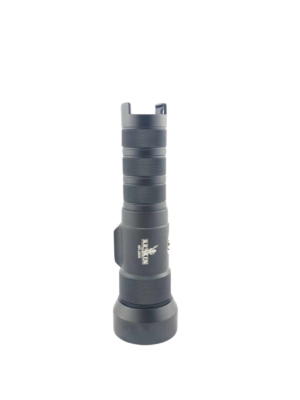
If you’ve spent any time shopping for underwater video lights, you’ve probably seen “CRI 90” on a spec sheet and wondered whether it’s marketing language or something that actually changes how your footage looks. It’s the latter — and once you understand what CRI measures, it becomes one of the most useful specs on the page.
What CRI Actually Measures
CRI stands for Colour Rendering Index. The usual general CRI (Ra) compares a set of test colours with a reference illuminant at the same correlated colour temperature. The reference is not always midday sunlight. CRI is an index, not a percentage of colour accuracy, and it does not by itself predict every camera or saturated-red response.
A CRI near 100 indicates a close match to the reference on the standard test colours. CRI 80 and 90 describe different average rendering performance, but neither number alone proves how a particular red subject or skin tone will look on your camera. White balance, exposure and spectral detail still matter.
The difference between CRI 80 and CRI 90 doesn’t sound dramatic on paper. Underwater, it is.
Why CRI Matters More Underwater Than on Land
On land, you’re working with a mix of ambient light and your artificial source. The eye and camera average things out. In the ocean, especially at depth, your video light is often the only meaningful light source illuminating your subject. Whatever colour the light puts out, that’s what the camera sees — there’s nothing to balance against it.
Water also strips colour as depth increases. Red wavelengths are absorbed first, then orange, then yellow. The amount of loss depends on water clarity and total light path, not a universal 5–10m cutoff. Close artificial lighting can restore foreground colour, while ambient light may still contribute to the scene.
A lower-CRI light can be bright while rendering some colours less faithfully. White-balance and saturation controls cannot recreate wavelengths absent from the illumination. Better colour rendering can help reduce corrective work, but it does not establish a fixed time saving.
A CRI 90 white source is a useful starting point for colour-sensitive filming. It can help subjects look more natural, but it does not mean every wavelength is present equally or that exposure and white balance can be ignored.
CRI 90 vs CRI 80: What It Looks Like in Practice
Here’s the practical difference for underwater shooters:
- CRI 80 footage: Some colours may render less faithfully than with a suitable higher-CRI white source, but a specific orange, red or skin-tone shift cannot be predicted from the average rating alone. Compare footage under controlled white balance and exposure.
- CRI 90 footage: Often a better starting point for natural colour rendering. Judge the actual footage with suitable white balance and exposure rather than expecting identical colour from the rating alone.
The difference is most visible on reds, oranges, and warm skin tones — exactly the colours that disappear first in the blue-shifted water column, and exactly the colours your video light is supposed to be restoring.
The CRI 90 Standard in Our Lights
Our current Abyss 6000, 10000 and 20000 list CRI 90. Hydra 5000, 10000, 12000 and 20000 list CRI around 90 for white output. This is not a rating for every Hydra or for every coloured channel: Hydra 3000 V2 is CRI 82. We quote the model’s published rating rather than turning an approximate specification into a guaranteed minimum.
| Light | Published CRI / mode |
|---|---|
| Hydra 3000 V2 WRGBU | 82 |
| Hydra 5000 | 90 white |
| Hydra 10000 WRGBU | ~90 white |
| Hydra 12,000 | 90 white |
| Hydra 20000 WRGBU | 90 white |
| Abyss 6000 | 90 white |
| Abyss 10000 | 90 white |
| Abyss 20,000 | 90 white |
| Spectrum 18000 Underwater Video Light | Not stated in supplied catalog record |
| Spectrum 25,000 | 90 listed at 5600K and 16,000K; do not apply to 8000K |
CRI and Our Colour Modes
This matters especially when you’re using white mode as your primary source, and it’s the foundation for why our colour modes work the way they do.
WRGBU means White, Red, Green, Blue and UV. A white-mode CRI rating does not apply to narrow-band coloured or UV modes. Blue/UV channels can excite fluorescence with suitable barrier filters. Red may reduce disturbance to some animals, but responses vary; green can be useful for focus assist without being universally better or less disturbing.
But all of this starts with accurate white light. If the white mode can’t render colours accurately, the rest of the spectrum doesn’t matter — you’re building creative flexibility on a compromised foundation. Evaluate white-mode colour rendering separately from creative colour and fluorescence channels; the usefulness of one does not depend on a universal CRI90 cutoff.
What to Look For When Buying
When you’re evaluating an underwater video light, treat CRI as a first-filter spec:
- CRI 90 or above: A useful white-light colour-rendering target, not a promise of minimal grading or a measured time saving.
- CRI 80–89: Can be useful for general filming. Judge the actual spectrum and footage against your colour requirements rather than assuming every warm tone needs correction.
- CRI not listed: Treat it as unknown and ask for the model- and mode-specific value; absence of a listing is not evidence that it is below 80.
Lumen numbers matter — output determines how much you can light and at what distance. But lumens and CRI are not in competition. The light that best serves underwater photography is both bright enough and accurate enough. Those aren’t trade-offs you should have to make.
The Short Version
CRI is one useful indicator of colour rendering. A higher white-light rating can help with footage quality, but there is no universal threshold where all colour problems disappear. Combine it with beam coverage, usable output, working distance and white balance.
For ordinary action-camera video, start with Abyss 6000 if budget permits. For white video plus fluorescence modes, compare Hydra 5000, Hydra 10000 WRGBU, Hydra 12,000 and the newer Hydra 20000 WRGBU. For selectable colour temperature, compare Spectrum 18000 Underwater Video Light and Spectrum 25,000; read CRI by mode.
Frequently Asked Questions
Is CRI 90 the same as 90% accurate colour?
No. It is an index based on reference test colours, not a percentage or a camera guarantee.
Can I compare Spectrum CRI across all modes?
Use the mode-specific listing. Spectrum 25000 lists CRI 90 for 5600K and 16,000K, not for all modes. Spectrum 18000’s supplied catalog record has no CRI value; do not assign one by family resemblance.