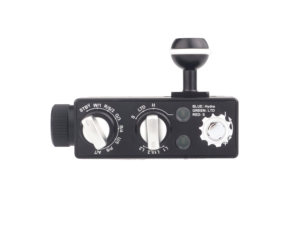
USB-C vs USB-C PD: Charging Guide for Kraken Dive Lights
USB-C vs USB-C PD: Charging Guide for Kraken Dive Lights
You’re on a dive trip. You forgot your Hydra charger at home. Or it died. Or you lost it.
Don’t panic.
Unlike proprietary chargers, USB-C is everywhere. You can buy a replacement at any electronics store, borrow your buddy’s laptop charger, or use the one you already packed for your phone or tablet.
That’s exactly why we designed our lights around USB-C charging. One standard. One cable. No hunting for obscure proprietary adapters on remote islands.
But here’s the catch: not all USB-C is the same. Some Kraken products need USB-C PD (Power Delivery). Some work with regular USB-C.
Here’s how to tell the difference.
(Note: All Kraken products that require PD ship with a charger and cable included. This guide is for when you need a backup or replacement.)
The 5-Second Version
Look at your battery:
- Square or triangular shape? Multi-cell pack. Needs USB-C PD.
- Single cylinder? Single-cell battery. Regular USB-C works.
If you can’t check the battery, scroll down for the product list.
Why the Difference?
Regular USB-C delivers 5V at up to 3A = 15W max.
That’s enough to charge one battery cell (3.7V nominal). Works perfectly for NR torches and smaller strobes.
USB-C PD delivers 9V, 12V, 15V, or 20V at higher amperage = up to 100W.
Multi-cell battery packs need higher voltage to charge cells wired in series. A 4-cell pack runs at ~14.8V nominal. Regular 5V USB-C can’t deliver that.
Math check:
- Single 18650/21700/26650 = ~3.7V → regular USB-C works
- 4-cell pack in series = ~14.8V → needs USB-C PD (15V or 20V)
Visual trick: Multi-cell packs are square or triangular because multiple cylindrical cells are bundled together. Single cells are, well, single cylinders.
Which Kraken Products Need What?
USB-C PD Required (Multi-Cell Battery Packs)
| Product | Battery Type | Ships With Charger? |
|---|---|---|
| Hydra 5000 | Multi-cell (square/triangular) | ✅ Yes (PD charger + cable) |
| Hydra 10000 WRGBU | Multi-cell (square/triangular) | ✅ Yes (PD charger + cable) |
| Hydra 12000 | Multi-cell (square/triangular) | ✅ Yes (PD charger + cable) |
| Hydra 18000 | Multi-cell (square/triangular) | ✅ Yes (PD charger + cable) |
| KR-S160 | Multi-cell (square/triangular) | ✅ Yes (PD charger + cable) |
| Abyss (all models) | Multi-cell (square/triangular) | ✅ Yes (PD charger + cable) |
If you try regular USB-C on these: Light won’t charge. Cable might get warm. Nothing happens. You need PD.
Regular USB-C Works Fine (Single-Cell Batteries)
| Product | Battery Type | Any USB-C Works? |
|---|---|---|
| Hydra 3000 | Single 26650 | ✅ Yes (even phone chargers) |
| NR-800 | Single 18650 | ✅ Yes (even phone chargers) |
| NR-1000 | Single 18650 | ✅ Yes (even phone chargers) |
| NR-1200 | Single 18650 | ✅ Yes (even phone chargers) |
| NR-1500 | Single 18650 | ✅ Yes (even phone chargers) |
| NR-1800 / 1800Z / 1800L | Single 21700 | ✅ Yes (even phone chargers) |
| NR-2500 LEP | Single 26650 | ✅ Yes (even phone chargers) |
| KR-S40 | Single-cell | ✅ Yes (even phone chargers) |
| KR-S80 | Single-cell | ✅ Yes (even phone chargers) |
Why USB-C? (The Kraken Design Philosophy)
We spent years developing USB-C charging for our lights. Here’s why:
1. Universal availability. USB-C chargers are everywhere. Electronics stores, airports, dive resorts, your buddy’s laptop bag. You’re never stranded.
2. One charger for everything. Phone, tablet, laptop, camera, dive light — all on one charger. Pack less. Simplify.
3. Future-proof. USB-C is the industry standard. It’s not going anywhere. Your charger today works with products we haven’t even designed yet.
4. No proprietary lock-in. Lost the charger? Buy any brand. Anker, Apple, Samsung — doesn’t matter. They all work.
That’s the beauty of standards. And that’s why we chose USB-C.
How to Identify a PD Charger
Look for these labels on the charger:
- “PD” or “Power Delivery”
- “45W” or “65W” or higher wattage
- Multiple voltage outputs: 5V/9V/12V/15V/20V
Your laptop charger? Almost certainly supports PD. MacBook, Dell XPS, HP, Lenovo — they all use USB-C PD.
Your phone charger? Maybe. iPhones (12 and newer) support PD. Many Android fast chargers do too. Check the label on the brick.
Your old USB-A to USB-C cable? Nope. PD requires USB-C on both ends of the cable.
What to Buy (Replacement Chargers)
For Hydra 5000+ / Abyss / KR-S160 (PD Required)
You need:
- USB-C PD charger (45W minimum recommended)
- USB-C to USB-C cable (rated for power delivery)
Where to buy: Anywhere. Best Buy, Amazon, airport electronics stores, even gas stations carry USB-C chargers now.
Specific recommendations:
- Anker PowerPort III 45W (~$30 USD) — reliable, affordable
- Apple 30W USB-C Power Adapter (~$40 USD) — works, but slower charging
- Samsung 45W USB-C Super Fast Charger (~$35 USD)
- Your laptop charger (if USB-C) — probably 45W-100W, works great
Minimum specs: 30W will work, but charges slower. 45W+ is recommended.
For Hydra 3000 / NR Torches / Smaller Strobes (Regular USB-C)
You need:
- Any USB-C charger (phone chargers work fine)
- USB-C cable
Literally any USB-C charger works. Borrow your buddy’s phone charger. Use the USB-C port on your laptop. All good.
Travel Packing Tips
For dive trips with Hydra 5000+, Abyss, or KR-S160:
Pack your Kraken-supplied charger as your primary. Then bring your laptop charger as a backup. Two chargers, dual-purpose, minimal bulk.
Don’t count on:
- Hotel/liveaboard USB ports (usually 5V only, no PD)
- Airplane seat USB-C (rarely supports PD)
- Random power banks (most don’t support PD output)
- Dive shop loaners (if they even have one, good luck)
Smart packing list:
- Kraken charger (primary)
- Laptop USB-C charger (backup — it does PD)
- One good USB-C to USB-C cable (Anker/Apple/Samsung — not random Amazon specials)
Pro tip: A single 65W USB-C PD charger can charge your laptop, phone, tablet, and dive light. One charger, one outlet, zero hassle.
Troubleshooting: “My Light Still Won’t Charge”
You have a PD charger, but nothing’s happening?
- Check the cable. USB-C cables look identical, but cheap ones are power-only or data-only. You need a cable rated for both. Try the cable that came with your laptop.
- Check the wattage. Some “PD” chargers only deliver 18W. Hydra 5000+ needs 30W minimum. Look at the fine print on the charger brick.
- Check which port. Multi-port chargers often support full PD on only one port. Try the other port.
- Wait 5-10 minutes. If the battery was completely dead (stored for months), it might take a while before the charge light turns on.
- Still nothing? Battery might be damaged, or the charging port on the light has an issue. Contact us.
The Bottom Line
Battery looks square or triangular? You need USB-C PD. Borrow a laptop charger.
Battery is a single cylinder? Regular USB-C works. Borrow a phone charger.
Lost your charger on a trip? Don’t panic. Walk into any electronics store and buy a USB-C PD charger (45W+). You’ll be charging in 20 minutes.
Want one charger for everything? Get a 65W USB-C PD charger. Laptop, phone, tablet, dive light — one charger, one cable, done.
That’s the beauty of USB-C. And that’s why we built our lights around it.
Still Have Questions?
Not sure which charger to buy? Need help troubleshooting?
Contact our team — we’ve walked hundreds of divers through this.
Last updated: March 2026